Dispatch operators are assigned to control centers in the Organization tab of the User Manager window. Usually control centers are created in the system by the system administrator, but if you have the necessary permissions, a dispatcher operator can also create new control centers.
To assign a dispatch operator to a control center
- From the Users panel locate the dispatch operator user whom you want to assign to a control center.
- Right-click on the User icon, and then click Edit. The User Manager window opens.
- Click the Organization tab.
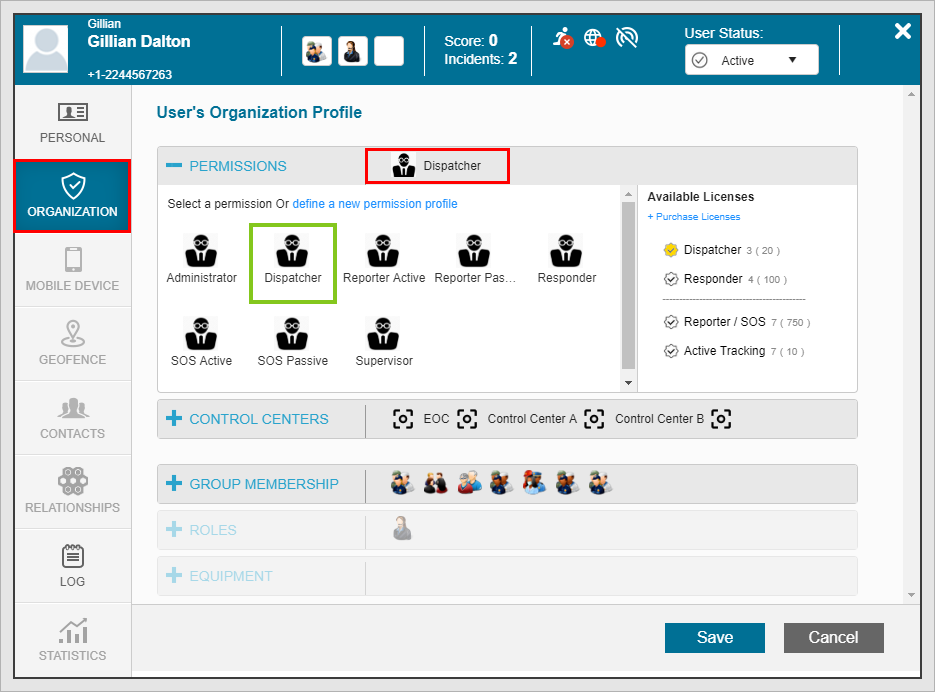
- Confirm that the user has been assigned Dispatcher permissions. by reviewing the PERMISSIONS sub-tab.
- Click the CONTROL CENTERS sub-tab.
- Assign the user to another control center by selecting a control enter icon. A green rectangle appears around the selected control center.
- Click Save.
- The disptach operator must log for the change to be effected.
- When logging back in, after entering their username and password, the Dispatcher will see their full list of available Control Centers
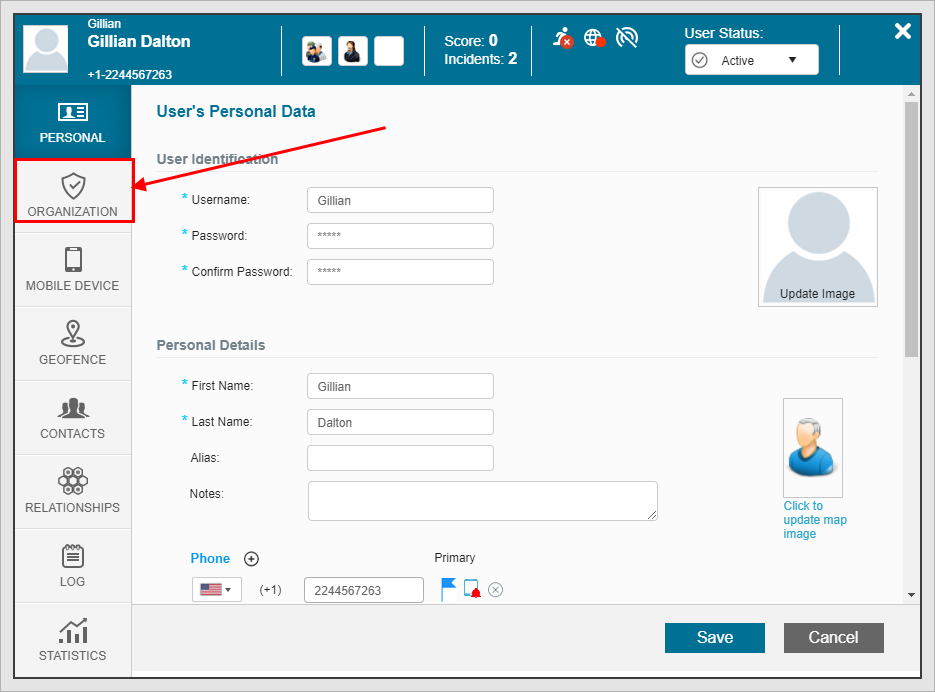
The Organization tab opens.
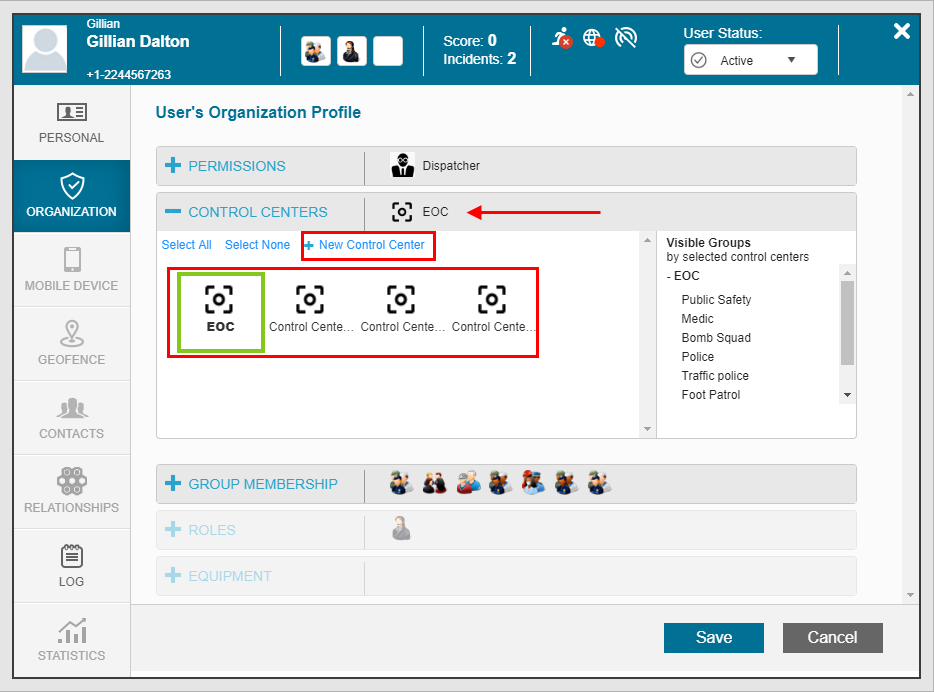
By default the user is assigned to the Main Control Center (EOC in the above example).


